


How to Claim your LEO Rewards in a Few Simple Steps
Answering LEO surveys is easy, fun, and pays off!
Every time you answer a survey, you gain points that you can then exchange for many rewards.
To better understand the process to claiming your LEO rewards, we put together a little guide to help.

Get LEO Points
Before getting to the rewards, you first need to gain LEO points.
Here are a few ways to gain LEO points:
- By answering profiling questions, available upon signing up.
- By answering surveys
- By inviting your friends and family to join LEO
- By activating badges
Most times, the number of points given is determined based on the length and type of the survey.
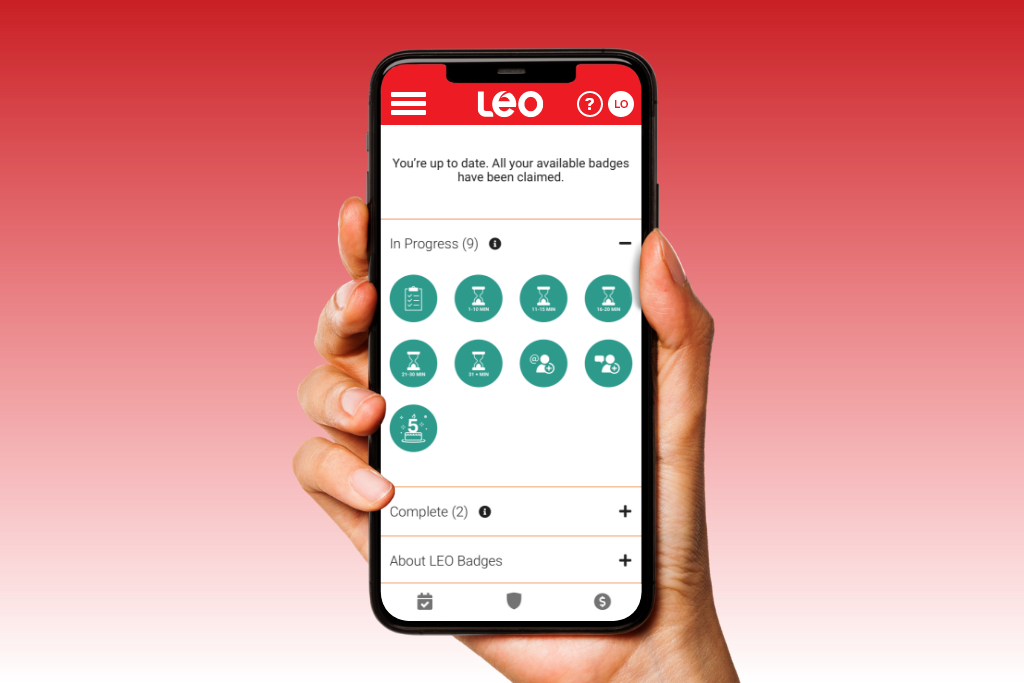
LEO badges represent another way to gain points. You can get badges by completing certain tasks on the platform. Each badge has up to six levels. After each level, you can claim points and, if possible, unlock the next level.
Choosing LEO Rewards
Before claiming your rewards, choose them wisely.
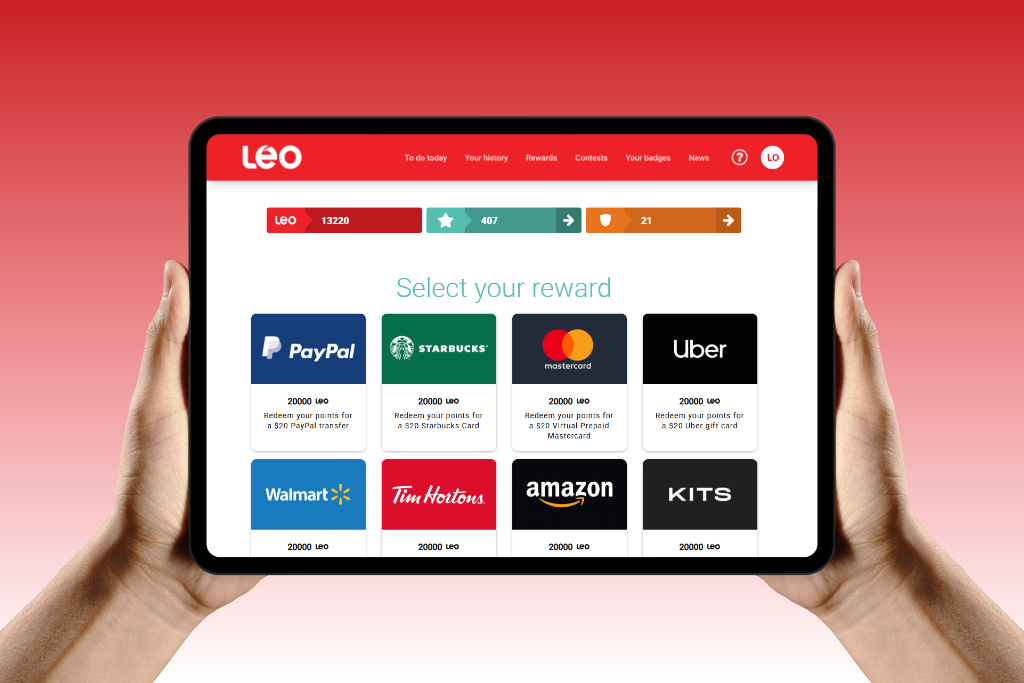
Available options include gift cards and virtual prepaid cards, but you can also exchange them for additional LEO contest chances, or donate them to an organization of your choice.
- Click on the ”Rewards” tab
- Scan the available rewards.
- Choose which one interests you.
Note: some rewards are only offered as special promotions.
Some checks to perform before claiming your rewards
Before claiming your LEO rewards, it’s important to review the characteristics of the reward and the conditions related to it.
- For example: the email address linked to your PayPal account must be identical to the one registered in your LEO account.
For each reward, you must ensure that the information required to receive it is accurate and complete.
Verify your phone number
To complete a claim, you will need to go through a two-step phone validation process. This step ensures that our panel members actually reside in Canada or the United States.
It is therefore essential that the phone number linked to your LEO account is up to date.
If it needs to be changed, contact the support team directly through the LEO website, mobile app, or by email.
Claim your LEO rewards
Each reward has a point value. Make sure you have accumulated enough points to claim it.
Here is the full procedure for claiming your rewards:
- Log in to your LEO account
- Click on the “Rewards” tab, then choose the reward you would like from the options available.
- Check that you have the required number of points for your chosen reward, then click “Claim.”
- Confirm that you have reviewed the conditions and characteristics of the reward and that the information required to receive it is accurate and complete. If not, click the “Edit your information” button.
- To validate your identity, a confirmation code will be sent to you by text message (SMS) or automated voice message. Enter the 6-digit code received
- Click the “Confirm and claim” button.
Once this process is complete, your claim request will be submitted. Depending on the chosen reward, a delay may be required before you receive it.

Make Claims Regularly
Unlike a bank account, LEO is not a financial institution: your points are not money deposits. That’s why it is recommended to claim your rewards each time you reach the required number of points.
As mentioned in our Terms of Use, LEO offers rewards of a set value so that members make claims frequently and do not accumulate a large balance in their account.
You have questions? LEO is here for you!
The answers to your questions can be found in our FAQ.
And if you can’t find what you’re looking for, just reach out. We’ve got your back.
You might also like:
- LEO Answers Your Questions
- Discover the LEO Platform in 5 Simple Steps
- A Quick Guide to Understanding LEO Surveys
Visit our FAQ section or write to us. For all other questions, our team is here to help!
CONTACT US
Follow us on social media!
Image credits: Shutterstock.com and Legeropinion.com
Do you have other questions about LEO rewards? Let us know in the comments!
All comments must remain respectful and must not contain inappropriate, offensive, defamatory content, or anything that goes against the terms of use; otherwise, they may not be approved or may be removed by LEO.
41 responses to “A Simple Guide to Claiming your LEO Rewards”
-
It is very great to know about that
-
Love it!!!
-
Two cats
-
DO I HAVE ENOUGH POINTS TO GET 3 TIM HORTONS GIFT CARDS ? i HAVE 56020 POINTS ?
-
Hello Robert, you have enough points for 2 gift cards. We invite you to look at the rewards available here : https://www.legeropinion.com/en/rewards/
-
-
Thank you Leo,you have made claiming our rewards simple and easy to follow.Thank you so much for your consideration and understanding.Happy Xmas and Prosperous New Year to the entire team.Kind regards.
-
I tried claiming my rewards and could not get them I have no idear what I have to do to claim them HELP Dan
-
Here is the process to claim your rewards. Note that for security purposes, we can’t do it for you.
1. Sign into your LEO account
2. Click on the “Rewards” tab and choose the one you want.
3. Verify that you have the number of points required to claim the reward, then click on “Claim”
4. Confirm that you have reviewed the conditions and characteristics of the reward and that the information you have provided to receive the reward is accurate and complete. If this is not the case, click on the “Change your information” button.
5. Complete the 2-step validation process. To validate your identity, a confirmation code will be sent to you by text message (SMS) or automated voice message by LEO.
6. Click on the “Confirm and Claim” button.
This should complete your reward claim process. Some delays are to be expected depending on the reward chosen.
-
-
J’ai demandé que ce soit en français mais j’ai que de l’anglais
-
Voici la procédure pour modifier la langue de votre compte LEO :
– Connectez-vous à LEO et ouvrez votre profil en cliquant sur le cercle blanc avec vos initiales, dans le coin en haut à droit de la page.
– Cliquez sur « Langue », puis sélectionnez la langue de votre choix.
N’oubliez pas de cliquer sur ”Sauvegarder”
—
Here is the process to edit the language of your LEO account:
– Log in to LEO and open your profile by clicking on the white circle with your initials in the top right corner of the page.
– Click on “Language,” then select your preferred language.
Don’t forget to click on ”Save”
-
-
Ok
-
Ok thanks
-
Good!
-
The information is clear and easy to understand. Thank you
-
Received my first reward and it was so simple to claim and use. Thank you
-
Awesome!
-
-
Yes its clear n very understandable to use easily
-
Ty
-
Leo is user friendly and it is easy to claim rewards. I wish I was eligible for more surveys. Thank you Leo for this platform.
-
Great go to section!
-
I wish they had more surveys
-
Invitations to the surveys are made randomly in order not to disadvantage any of our members and to ensure the statistical validity of our studies.
Therefore, you may receive a few surveys per quarter, per month or per week, depending on our current needs.
Also, please note that we do not send all survey invitations by email. You always have more recent surveys available directly in your account at http://www.legeropinion.com (on the “To Do Today” page, in the “Surveys” section). We hope you will get more surveys soon.
-
-
I send my AMA on gift card rewards to my granddaughter who is a university Student. It’s just a little extra cash for the little extras. Thanks Leo
-
Very informative section
-
You forgot about the face verification step
-
Hello Sarah, there is no face verification in the process of redeeming a reward! The only verification is the 2-step verification with your phone number needed before being able to place your claim!
-
-
I just got a question I process my Leo points to a Walmart gift card and I never received it but I show a on my previous rewards card that it’s already in process but I never received the gift cards worth 20.00 from Walmart how to receive this gift card please help me me.
-
Hello Analie, please reach out at support@legeropinion.com or create a ticket here https://www.legeropinion.com/en/contact/. We will be able to follow-up!
-
-
Please help me to receive my gift card from my Leo rewards which in my previous rewards said that it’s processed but I never received yet a 20 Walmart gift card!. Hoe to redeem this .. please help
-
Hello Analie, please reach out at support@legeropinion.com or create a ticket here https://www.legeropinion.com/en/contact/. We will be able to make a better follow-up!
-
-
Very informative!
-
Very helpful knowing others experiences
-
Steps sound easy to follow.
-
I love how for me this is a huge a time passer along with every opportunity in gaining rewards. Totally fun and entertainig. Feels good to be back
-
Easy to use
-
why did leo surveys stop making available points turned into airmiles
-
We sometimes replace certain rewards with others of similar value, or the reward may simply become unavailable.
We encourage you to visit our rewards page on LEO (https://www.legeropinion.com/en/rewards/) to see the list of rewards currently available. Please do not hesitate to contact us if you have any questions or require assistance.
-
-
Love it!!!
-
Now I understand
-
Awesome!
-
-
I love LEO!
Leave a Reply